Seedance 2.5 Flash AI Video Generator

Create faster, lower-cost 4–30 second videos with ByteDance Seedance 2.5 Flash. Direct motion, native synchronized audio, and multimodal image references in Wizmade.

Sign up for free and get 60 creditsCreate with Wizmade
Loading creative workbench

What makes Seedance 2.5 Flash stand out?

See Seedance 2.5 Flash in motion

Faster turnaround for daily creative iteration

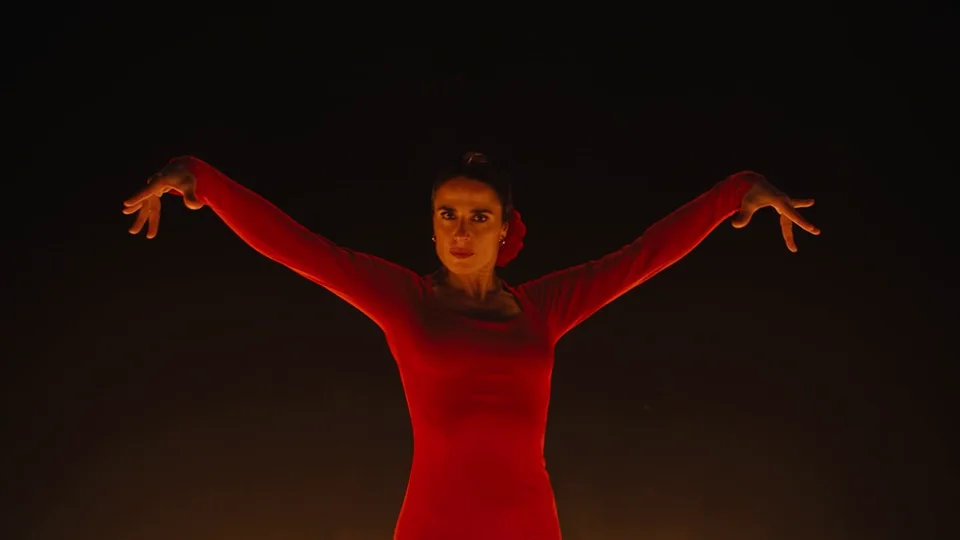
Test choreography, camera pacing, and shot variations rapidly in 480p or 720p. The camera pushes in on dynamic movements with continuous motion and synchronized ambient audio.

A Red-Dressed Dancer on a Firelit Stage · 8s
Example prompt

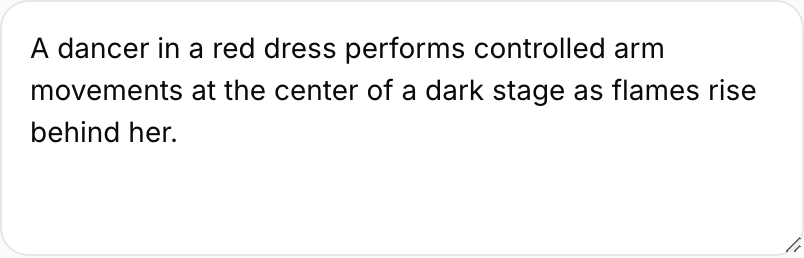
A dancer in a red dress performs controlled arm movements at the center of a dark stage. The camera pushes in from a frontal upper-body view as flames rise behind her, then cuts to a close-up of her steps and flowing skirt while keeping the motion and rhythm continuous.
Full 4–30 second single-pass storytelling

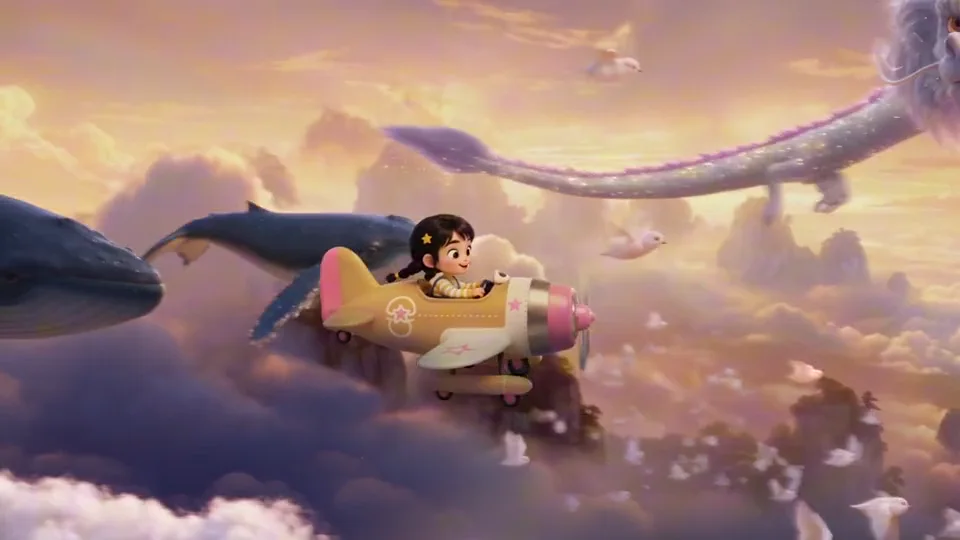
Produce uninterrupted scenes and multi-beat narratives in one prompt, cutting down assembly time for concept pitches and ads. Continuous multi-beat narrative sequence evolving from golden clouds to ocean surf and underwater worlds.

A Fantasy Journey from Clouds to the Sea · 8s
Example prompt

A young girl with two hair buns pilots a pink-and-white airplane through golden clouds as dragons and whales glide beside her. She then rides a surfboard across the sea, meets a small red dragon, and finally dives into a glowing underwater world. Keep the girl, her clothing, and her fantasy companions consistent through fluid transitions.

Multimodal reference guidance with up to 10 images

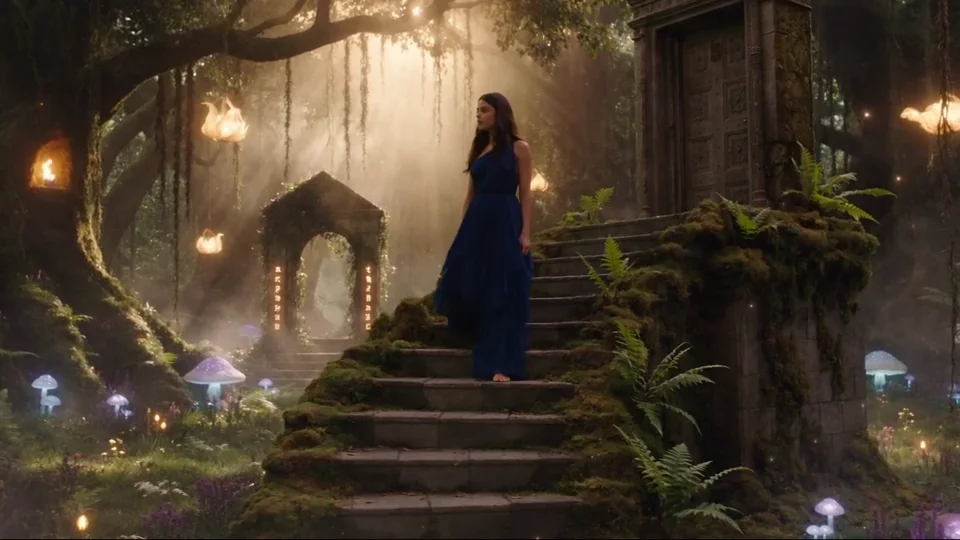
Supply start frames, first and last anchors, or reference collections to maintain character likeness, style, and motion intent. Preserves character styling, blue dress texture, and mystical forest atmospheric consistency across smooth camera tracking.

A Woman in Blue Walking Through an Enchanted Forest · 8s
Example prompt

A woman in a deep blue dress slowly walks down ancient moss-covered stone steps surrounded by glowing flowers, mist, stone arches, and warm sunlight. The camera follows smoothly and moves closer while her face, clothing, and lighting remain consistent.

Native synchronized dialogue and ambient sound

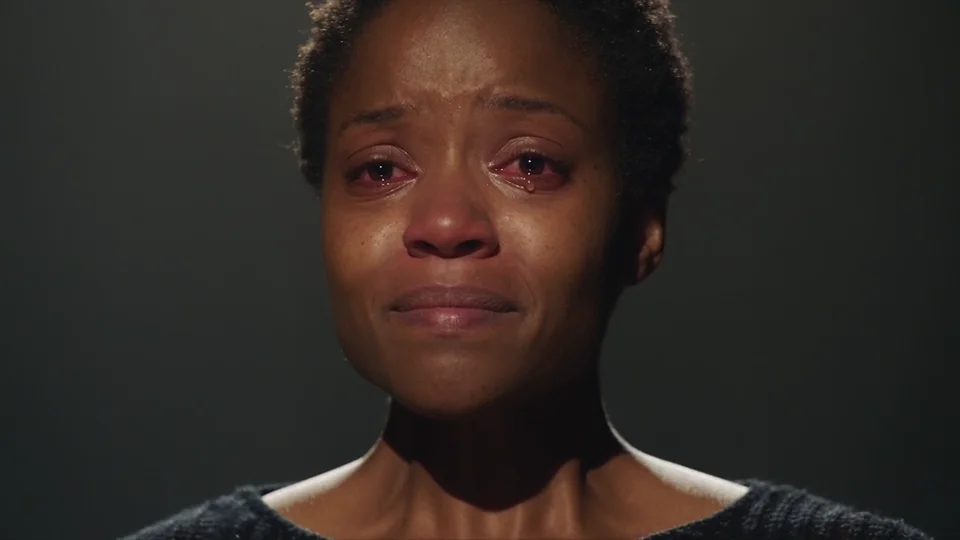
Generate matching voices, ambient soundscapes, and subtle natural Foley together with photorealistic performance. Frontal close-up with micro-expressions, glistening tears, and synchronized emotional audio.

A Restrained Tearful Close-Up · 8s
Example prompt

Against a black background, a short-haired woman tries to hold back tears. Keep a frontal close-up that captures natural skin, reddened eyes, lightly trembling lips, and a tear gradually running down her cheek with restrained movement.

Compare Seedance Video Models

Compare Seedance 2.5 Flash against Seedance 2.5 and earlier Seedance editions to match your speed, resolution, and reference needs.

Feature
Seedance 1.0 Pro Fast
Seedance 1.5 Pro
Seedance 2.0 Mini
Seedance 2.0
Seedance 2.5 Flash
Seedance 2.5
Resolution480p / 720p / 1080p480p / 720p / 1080p480p / 720p480p / 720p / 1080p480p / 720p480p / 720p / 1080p
Duration2–12 seconds4–12 seconds4–15 seconds4–15 seconds4–30 seconds4–30 seconds
Reference InputsText or first frameText or up to 2 imagesImage / Video / AudioImage / Video / AudioUp to 20 mixed assetsUp to 50 mixed assets
Native AudioNoYesYesYesYes, on by defaultYes, on by default
DeliveryStandard outputStandard outputStandard outputStandard outputMP4 / MOV, web searchMP4 / MOV, web search
Best ForFast low-cost draftsAudiovisual shotsLow-cost reference testsFlagship short-form workFast iteration & social ads1080p production workflows

Pick Seedance 2.5 Flash for faster turnaround and lower cost at 480p or 720p, or switch to Seedance 2.5 when you need 1080p output and up to 50 reference assets.

Sources ByteDance release notes · Wizmade workbench settings

How to create a video with Seedance 2.5 Flash

  1. Step 1

    Describe your shot and camera movement

    Write a concise prompt describing the subject, scene, action, and sound. In Text / Image, add an optional start frame. For two anchor frames or multiple guidance images, switch to Start & End or References.

    Scene prompt input in the Seedance 2.5 Flash workbench.
  2. Step 2

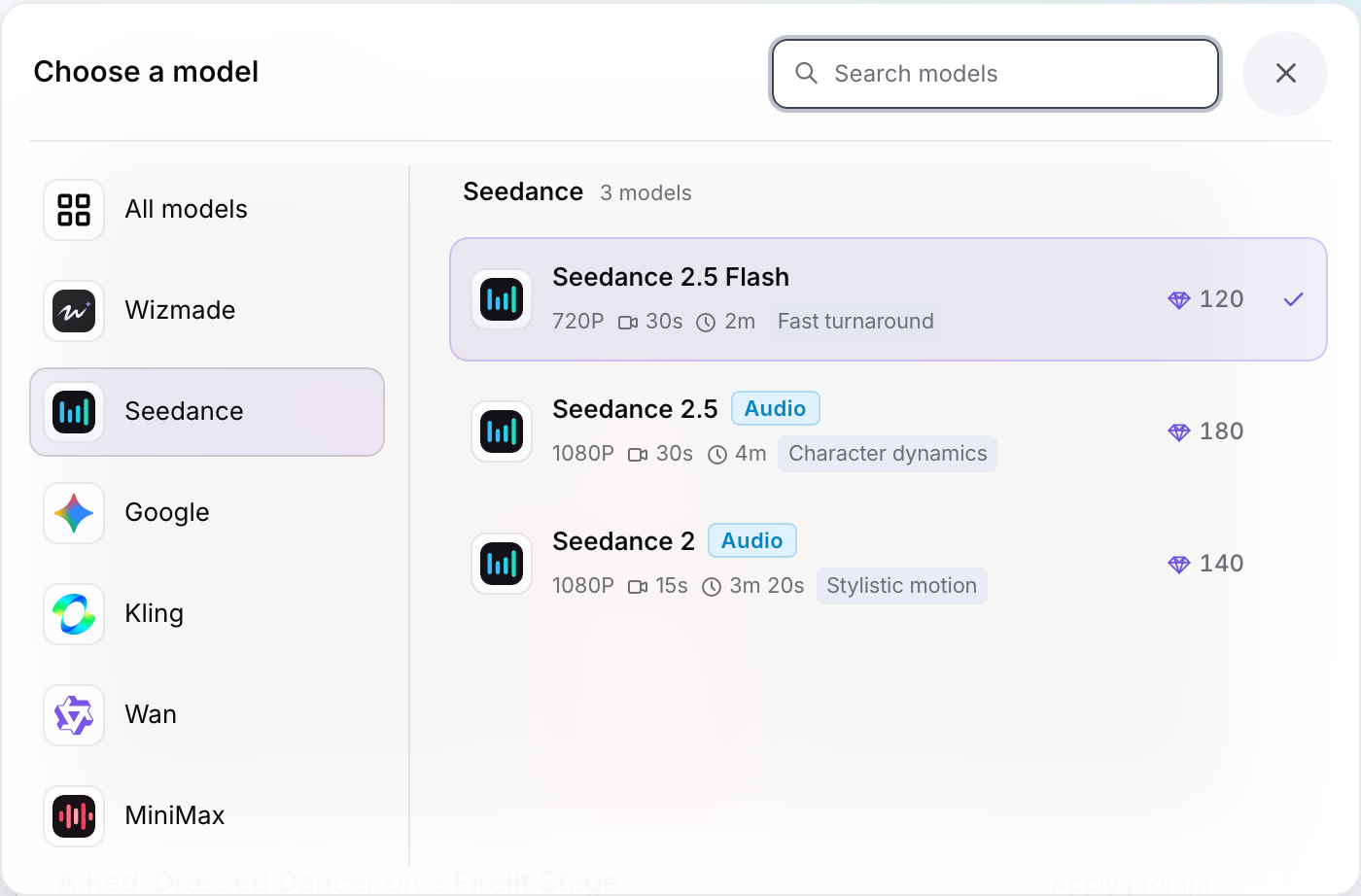
    Select Seedance 2.5 Flash

    Keep Seedance 2.5 Flash selected in the model menu to access fast 480p and 720p rendering with up to 30-second continuous durations.

    Seedance 2.5 Flash selected in the model menu.
  3. Step 3

    Configure duration, resolution, and quote

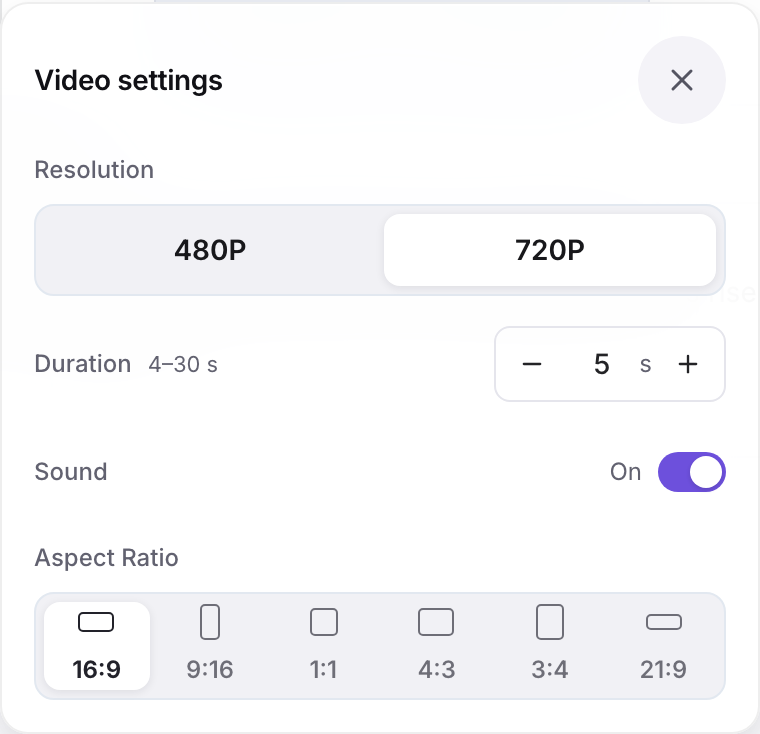
    Select 480p or 720p resolution, your desired clip length from 4 to 30 seconds, and Sound on or Silent. The workbench live diamond quote updates immediately before submission.

    Seedance 2.5 Flash workbench parameters and live diamond credit quote.

Seedance 2.5 Flash settings in Wizmade

SpecificationSeedance 2.5 Flash in Wizmade
Supported modesText / Image · Start & End · References
Image guidance rolesOptional start frame (1 image) · Start & End (2 frames) · References (1–10 images)
Clip duration4–30 seconds (1s increments)
Output resolutions480p · 720p
Aspect ratios16:9 · 9:16 · 1:1 · 4:3 · 3:4 · 21:9 for text-only prompts and References. Start frames and Start & End use adaptive framing.
Native audioSound on by default · optional Silent toggle
Outputs per submission1 video per request
Credit range (live catalog)120–2,010 credits (480p · 4s from 120 credits · 720p · 5s from 335 credits)

Seedance 2.5 Flash FAQ

How is Seedance 2.5 Flash different from Seedance 2.5 and Seedance 2.0?

Seedance 2.5 Flash is optimized for faster generation speed and lower credit cost in 480p and 720p. It supports the same 4 to 30 second continuous clip duration, native synchronized audio, and multimodal guidance as Seedance 2.5, while Seedance 2.5 adds 1080p resolution for high-end delivery.

What resolutions and clip durations are supported?

Seedance 2.5 Flash outputs video at 480p or 720p in any whole-second length from 4 to 30 seconds. For 1080p resolution, switch to Seedance 2.5 in the model selector.

What image guidance modes are available?

You can generate text-to-video with no uploaded images, add a single start frame in Text / Image, supply opening and closing anchor frames in Start & End, or upload up to 10 reference images in References to guide subjects, outfits, and environments.

Does Seedance 2.5 Flash generate synchronized audio?

Yes. Native audio generation is enabled by default, creating matching dialogue, ambient atmosphere, and sound effects. You can switch to Silent at any time in the workbench settings.

How does credit pricing work for Seedance 2.5 Flash?

Pricing is calculated per second of video generated: 30 credits per second for 480p and 67 credits per second for 720p. For example, a 5-second 480p clip is 150 credits, and a 5-second 720p clip is 335 credits. Every parameter change updates the live diamond quote on the generate button.

Does exploring this page or testing prompts consume credits?

No. Browsing examples, testing workbench settings, inspecting aspect ratios, or copying prompts is completely free. Credits are deducted only when you click Generate video to start a task.

From a single prompt to a 30-second clip with synchronized sound.

Bring your next idea to life

Start with a prompt or an image. Create your video right here.

Create a video